


Five desktop apps Windows & macOS

Every tool for the web.
Yours to keep.

Websites, hand-written code, emails and forms — five desktop apps that produce real HTML and CSS. Buy the ones you need, or get them all in the Super Pack.

  • One-time payment
  • Free trials
  • 30-day money-back guarantee
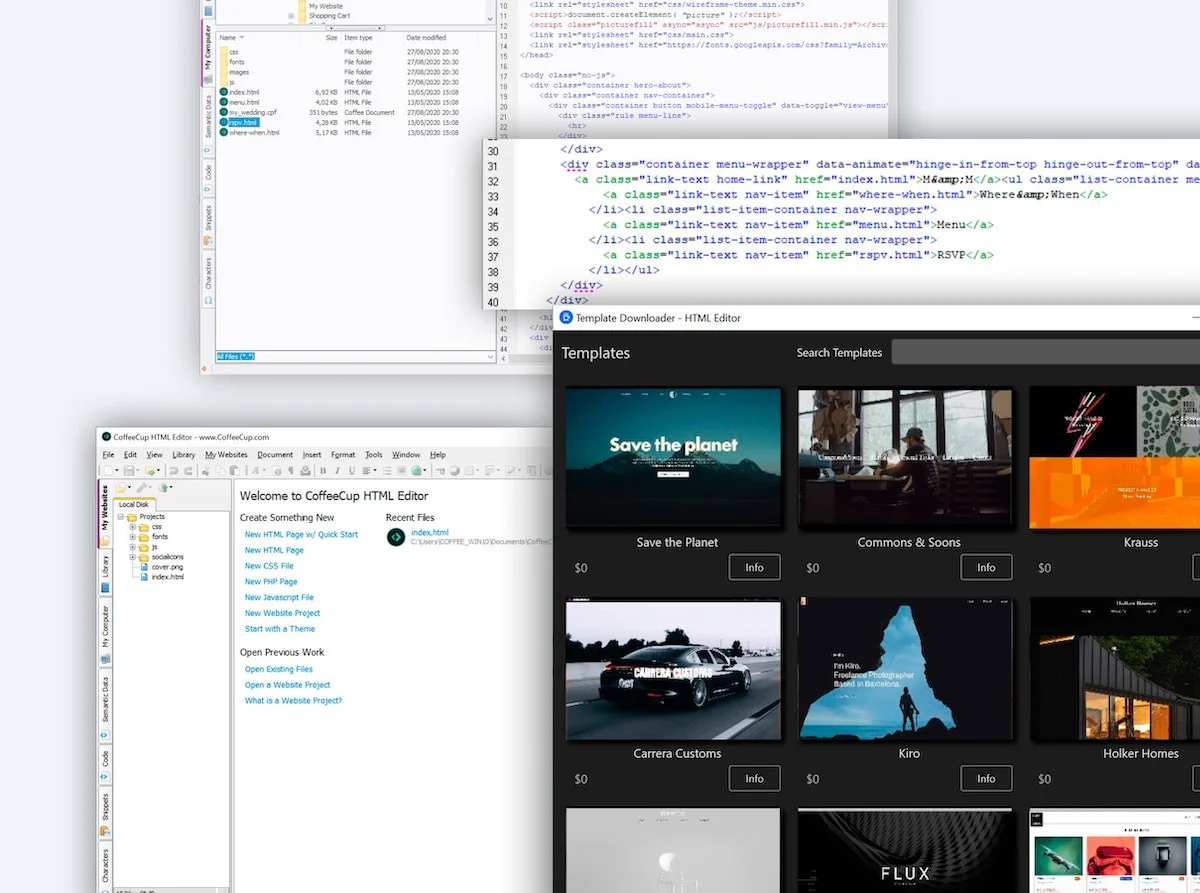
HTML Editor: code view with the Template Downloader open
HTML Editor
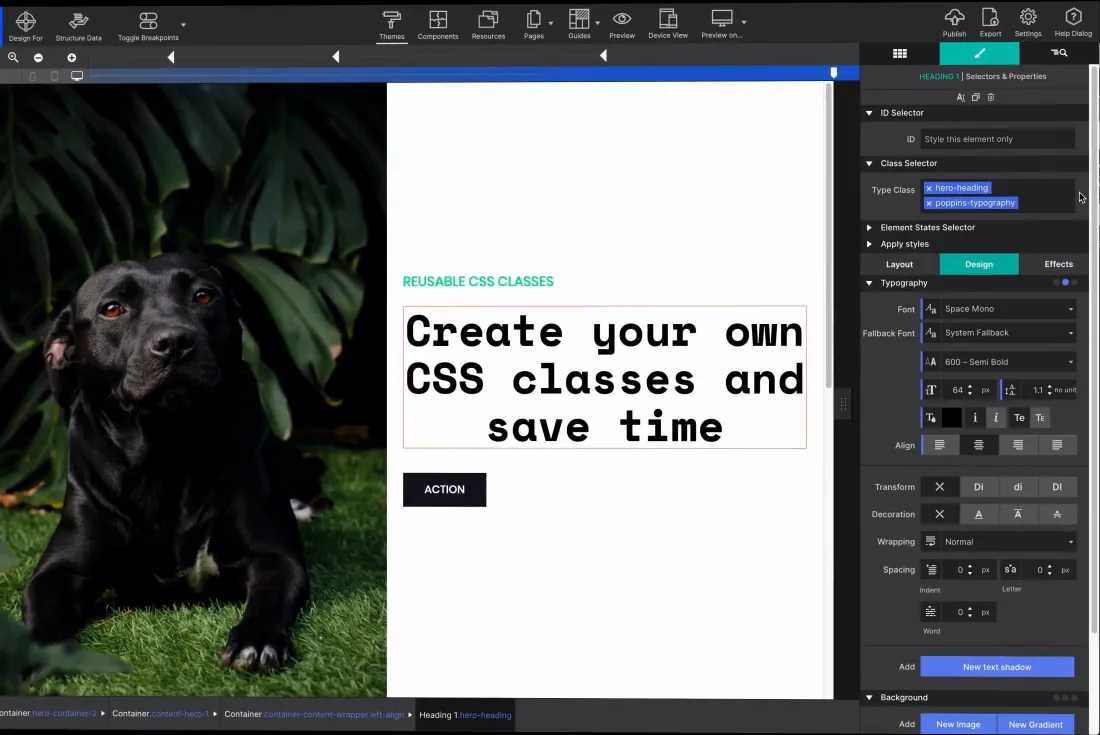
Site Designer: a page with a hero section on the canvas and the style panel open on its heading
Site Designer
Email Designer: a magazine newsletter on the canvas with the Rows and Columns panel on the right
Email Designer
Building web tools since
1996
Desktop apps in the suite
5
Also run on macOS
4 of 5
Monthly fees
$0

The software

One job each.
Done properly.

Each app is complete on its own and priced on its own. Pick the one that matches the work in front of you — they share the same way of working, so the next one feels familiar.

HTML Editor: code view with the Template Downloader open

Write code by hand

HTML Editor v18

A fast, focused code editor: completion that knows your CSS, a split-screen live preview and built-in FTP publishing.

  • Code completion & tag highlighting
  • Split-screen live preview
  • FTP & S-Drive publishing
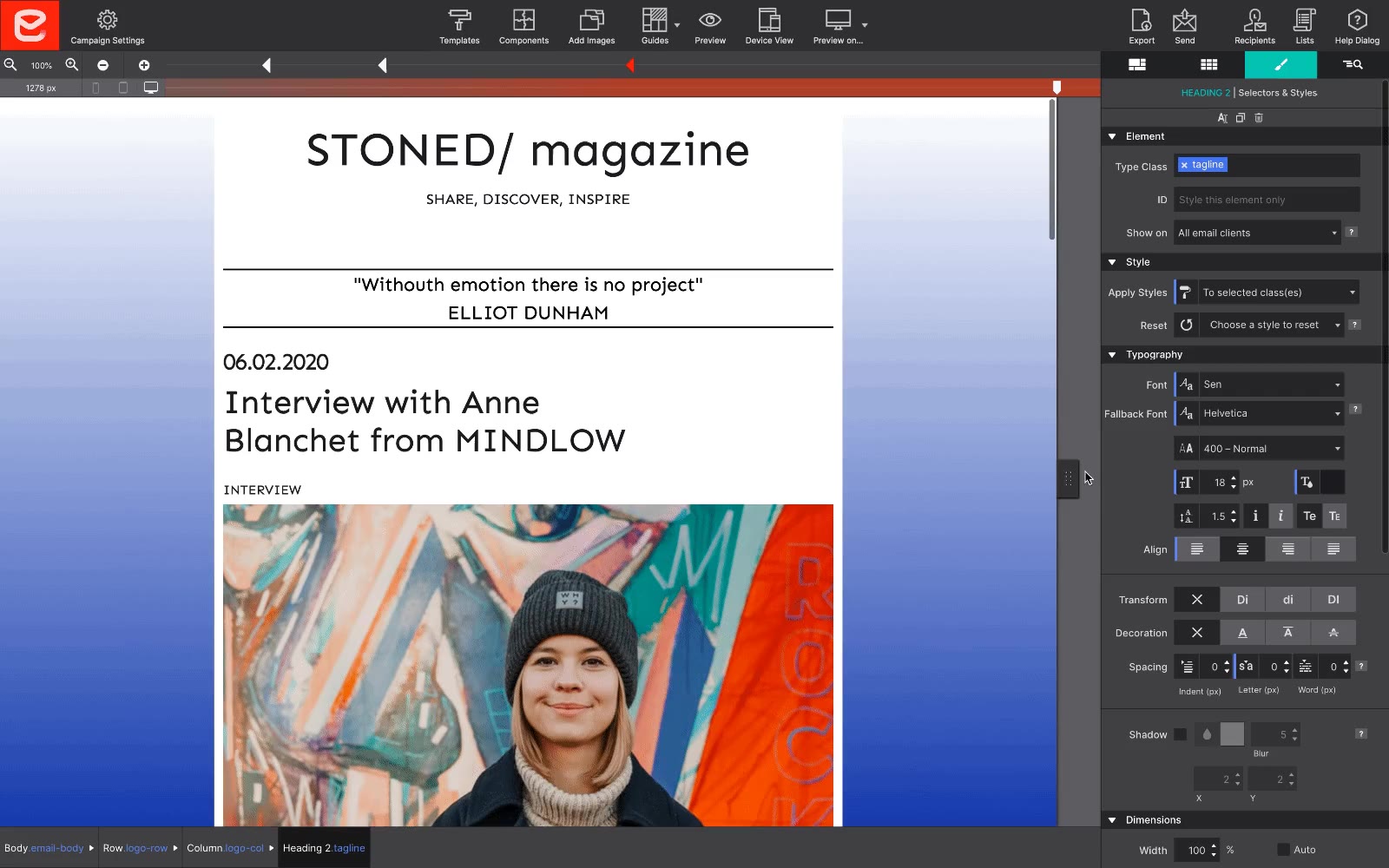
Email Designer: a magazine newsletter on the canvas with the Rows and Columns panel on the right

Design emails & newsletters

Email Designer

Responsive emails without writing code — grid-based layouts, Google Fonts and custom breakpoints, exported as clean HTML for any email service.

  • Grid-based layouts
  • Google Fonts & custom breakpoints
  • Clean export to any ESP
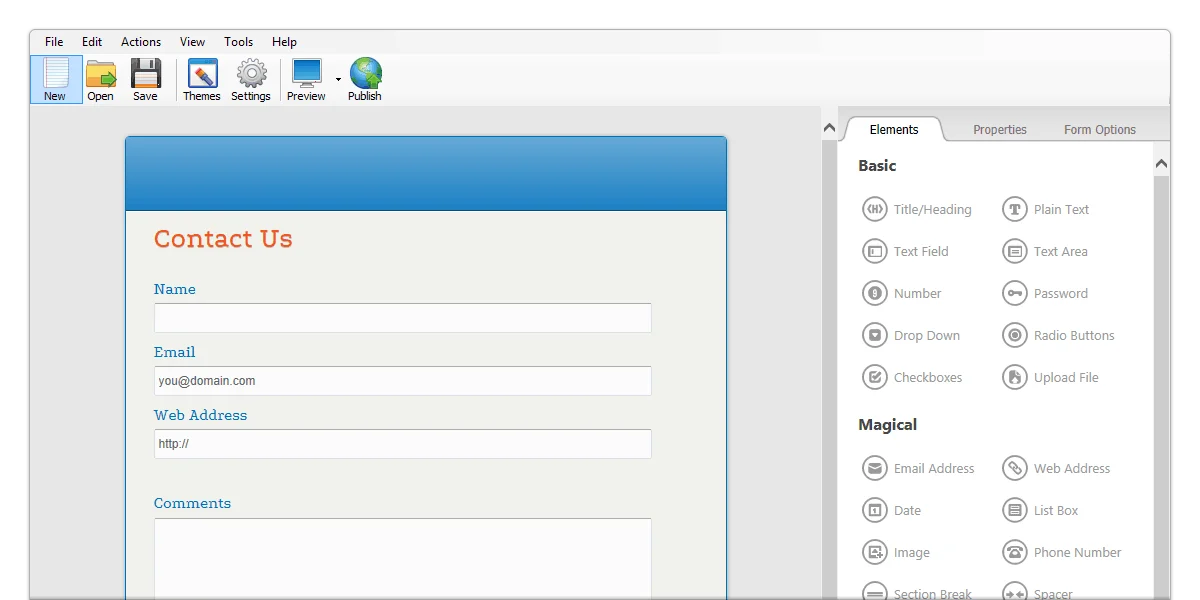
Web Form Builder: a Contact Us form on the canvas and the Elements panel with its fields

Build forms that collect data

Web Form Builder

Responsive web forms with drag-and-drop, conditional logic and payments — hosted on S-Drive, so there's no backend to set up.

  • 65 responsive themes
  • Conditional display rules
  • PayPal, Authorize.Net & 2Checkout
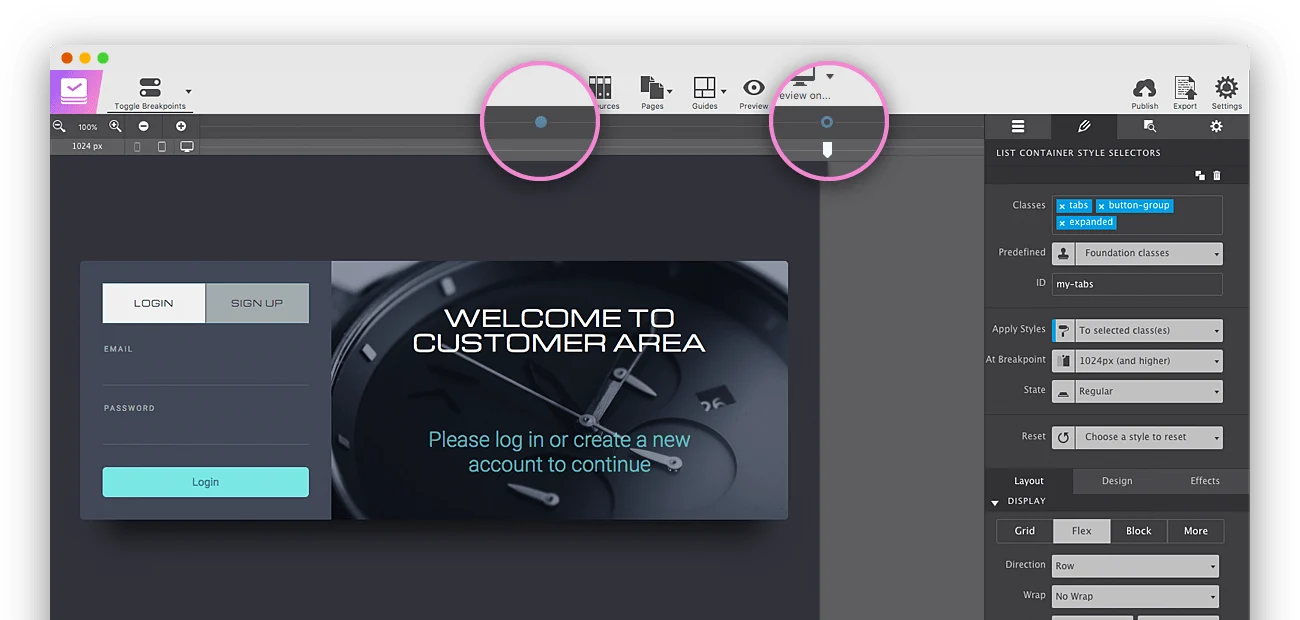
Form Designer: a login form on the canvas with the breakpoint controls highlighted

Restyle any form

Form Designer

Give a form a visual makeover with real CSS, then send its data to Google Forms, Mailchimp, Campaign Monitor or your own script.

  • Visual CSS controls
  • CSS Grid layouts
  • Google Forms & Mailchimp

Why CoffeeCup

Own your tools.
Own your work.

Most software is rented now. Ours isn't: you pay once, and the app — and everything you make with it — stays yours.

Question
CoffeeCup You buy it. It's yours.
Subscription You rent it. You pay to keep it.
How you pay

Once. Then never again.

Every month or every year, for as long as you use it.

If you stop paying

Nothing happens. The app keeps working, forever.

The app stops working. You lose access to it.

The price

Fixed. What you paid is what it cost.

Can go up at any renewal.

Your work

Plain HTML and CSS files on your computer.

Tied to their account and their format.

After five years

1 payment $99 for Site Designer, once

60 payments if monthly — or 5 if yearly

Minor updates are free. Major new versions are optional upgrades, offered at a discount to license holders. See the license agreement.

Built different

Every detail.
Considered.

Four things every CoffeeCup app is built around — and the screens that prove it.

Design visually. Ship clean code.

Whatever you build becomes standards-compliant HTML and CSS — readable, editable, ready to hand to a developer. There's no proprietary format between you and your site.

  • Site Designer
  • HTML Editor
  • Email Designer
  • Form Designer
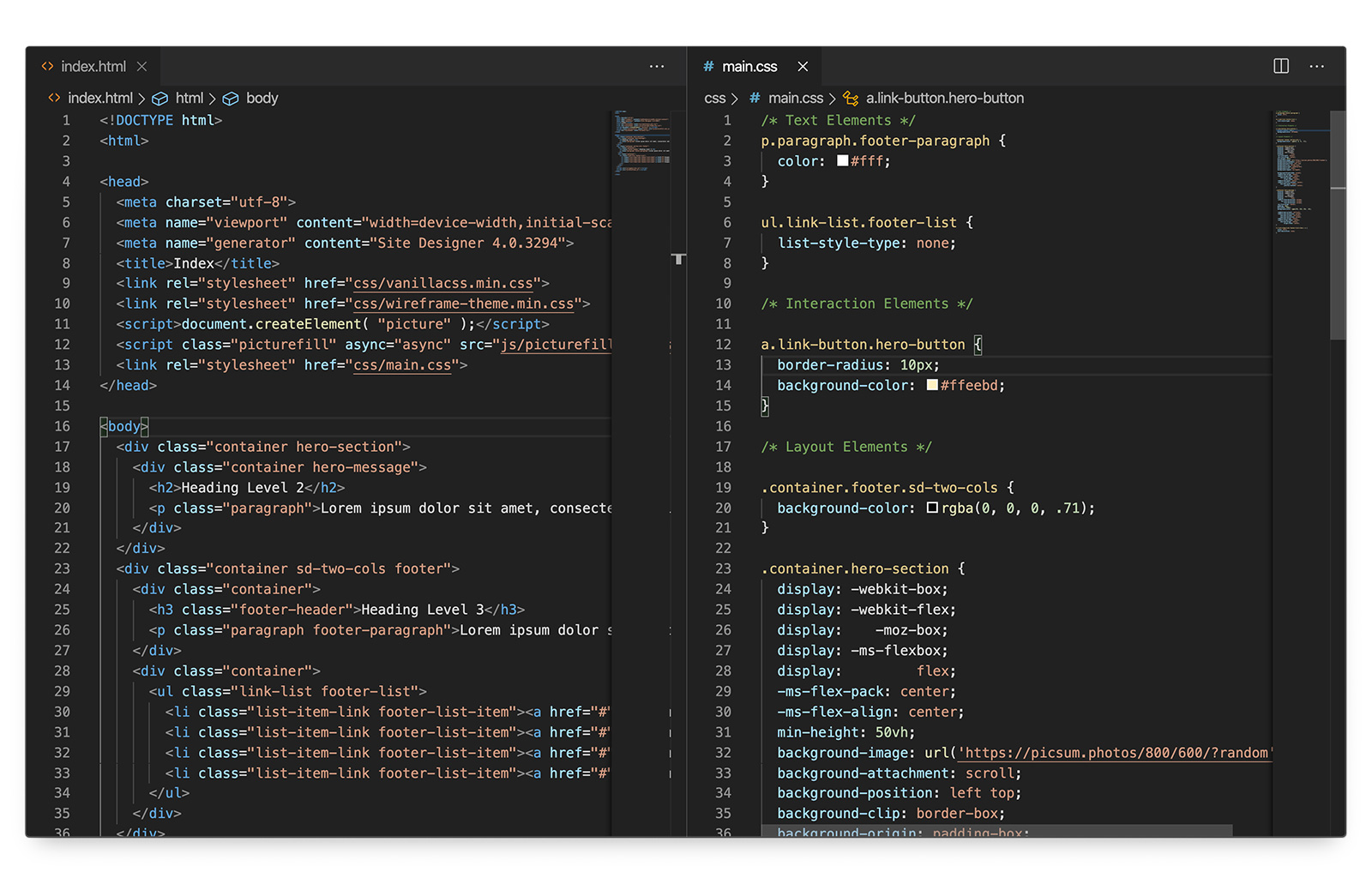
HTML and CSS exported by Site Designer
Site Designer's export: the page's HTML on the left, its stylesheet on the right.

Every screen. Your breakpoints.

Preview your work at any width and add a breakpoint exactly where the design needs one — not only where a framework decided it should go.

  • Site Designer
  • Email Designer
  • Form Designer
Email Designer: a magazine newsletter on the canvas, with custom breakpoints for its layout
Email Designer: one newsletter, laid out for its own breakpoints.

One click. Live.

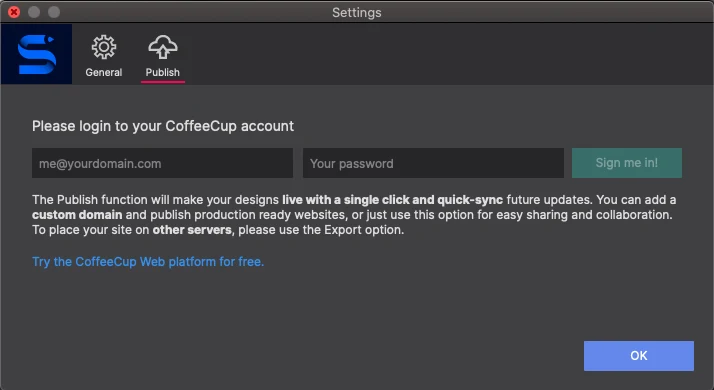
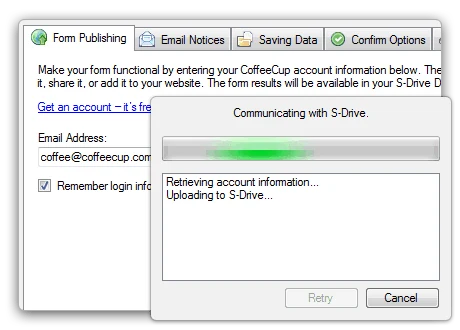
Sign in once and publish straight to S-Drive, CoffeeCup's own hosting. No server to configure, no files to drag around — your site or form is online.

  • Site Designer
  • HTML Editor
  • Web Form Builder
The Publish tab in Site Designer settings, asking for your CoffeeCup email and password Web Form Builder communicating with S-Drive while it uploads a form
Site Designer's Publish settings, and Web Form Builder uploading a form to S-Drive.

Your files. Any host.

Projects live on your computer. Export them, upload them over FTP to the host you already use, or send form data to Google Forms, Mailchimp or your own script. If you ever move on, your work comes with you.

  • Site Designer
  • HTML Editor
  • Email Designer
  • Form Designer
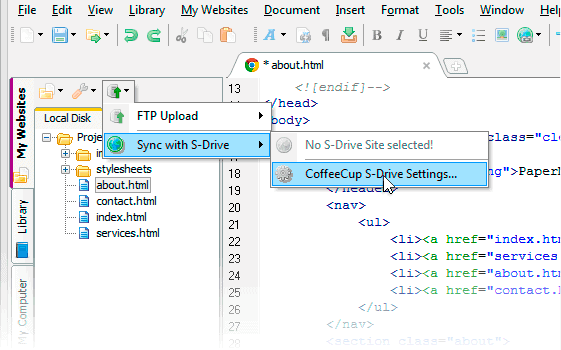
The publish menu in the My Websites panel, with the FTP Upload and Sync with S-Drive options
HTML Editor: FTP Upload to your own server, or Sync with S-Drive — your choice, per site.

S-Drive hosting

Built it here.
Publish it in one click.

S-Drive is CoffeeCup's own hosting, built into Site Designer, HTML Editor and Web Form Builder. Sign in once, press Publish, and your site or form is online — with no server to set up.

  • Free SSL certificate
  • Unlimited form entries
  • Real-time form stats
  • Direct FTP access

From $3.99/month, billed yearly · 30-day money-back guarantee

Customer stories

From the people who use them

Real, unedited quotes from CoffeeCup users.

Read all customer stories

“Not only do you guys have the best software out there for every level of web designer, but you also have the absolute, hands-down, nobody in any industry even comes close to it tech support and customer service. It’s a pleasure. . .”

Richard W.CoffeeCup customer

“CC and RSD has been a lifesaver for me, enabling me to create a website with extreme capabilities that without any code, I can change the design and content of, all by my 71 year old self! Everything is so intuitive, and together with the almost instant tech help to get by those little learning bumps, you have an incredible product and service.”

Nick C.Site Designer customer Site Designer

“Web Form Builder has made my life infinitely easier, I create 20-30 forms a week with it and now save myself over a hundred hours every month.”

Jason E.Web Form Builder customer Web Form Builder

The details

Works where
you work.

Desktop apps for Windows, and all but HTML Editor for macOS too. Everything else you might want to know before you buy is below.

Supported operating systems for each CoffeeCup app
App Windows macOS
Site Designer 10 or 11 10.13 or later
HTML Editor 7 or later Not available
Email Designer 7 or later 10.13 or later
Web Form Builder 7 or later 13 or later
Form Designer 7 or later 10.13 or later

To build a website visually, Site Designer. To write HTML and CSS by hand, HTML Editor. For newsletters, Email Designer. For forms that collect submissions — with logic, payments and hosting included — Web Form Builder. To restyle a form that sends its data to Google Forms, Mailchimp or your own script, Form Designer.

Yes. Every app is sold with a perpetual license: you pay once and the version you bought keeps working for good. Minor updates to that version are free. Major new versions are optional, and license holders get them at a discounted upgrade price.

Yes. Each app has a free trial on its own page. And if you buy and change your mind, there's a 30-day money-back guarantee.

All five apps on this page, plus Direct FTP, Sonar and Website Insight, 400+ web components, and six months of S-Drive hosting with a domain for a year. It's $219, one time — $924 if you bought each part separately. See everything inside.

No. S-Drive is the quickest way to go live, but it's optional: you can export your files or upload them over FTP to any host. S-Drive plans are there if you want them.

Build the web.
Own your tools.

Every app on this page, plus Direct FTP, Sonar, Website Insight and 400+ web components — $219, one time, in the Super Pack.

  • 30-day money-back
  • No subscription
  • Perpetual license