
Beautiful emails.
Zero hand-coding.
From design to send — without a single line of code. Grid-based layout, 800+ Google Fonts, custom breakpoints, and crispy clean export to any email marketing platform.
No credit card · Windows 7+ & macOS 10.13+ · 30-day money-back
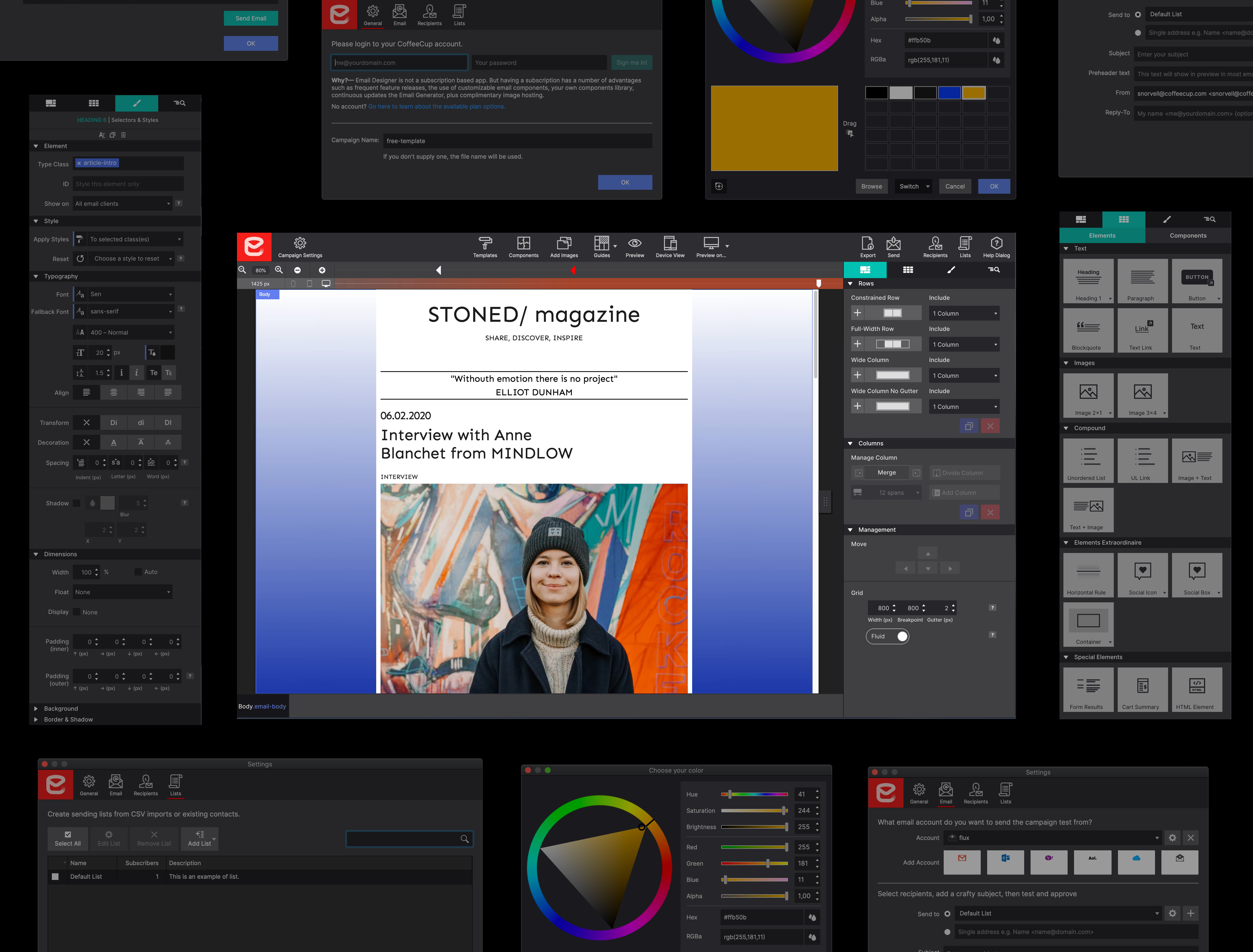
Email design, finally done right
All the power of a professional email designer — with none of the table-nesting nightmare.
Grid-based design
Email design is all about deeply nested tables — but Email Designer shields you from that complexity entirely. Rows and flexible columns that stack, just like designing for the modern web.
Choose your layout, drop in your content, and ship. The responsive magic happens automatically.
- Visual row & column editor
- Stacking columns for mobile
- No table-coding required
- Selective Outlook display fields
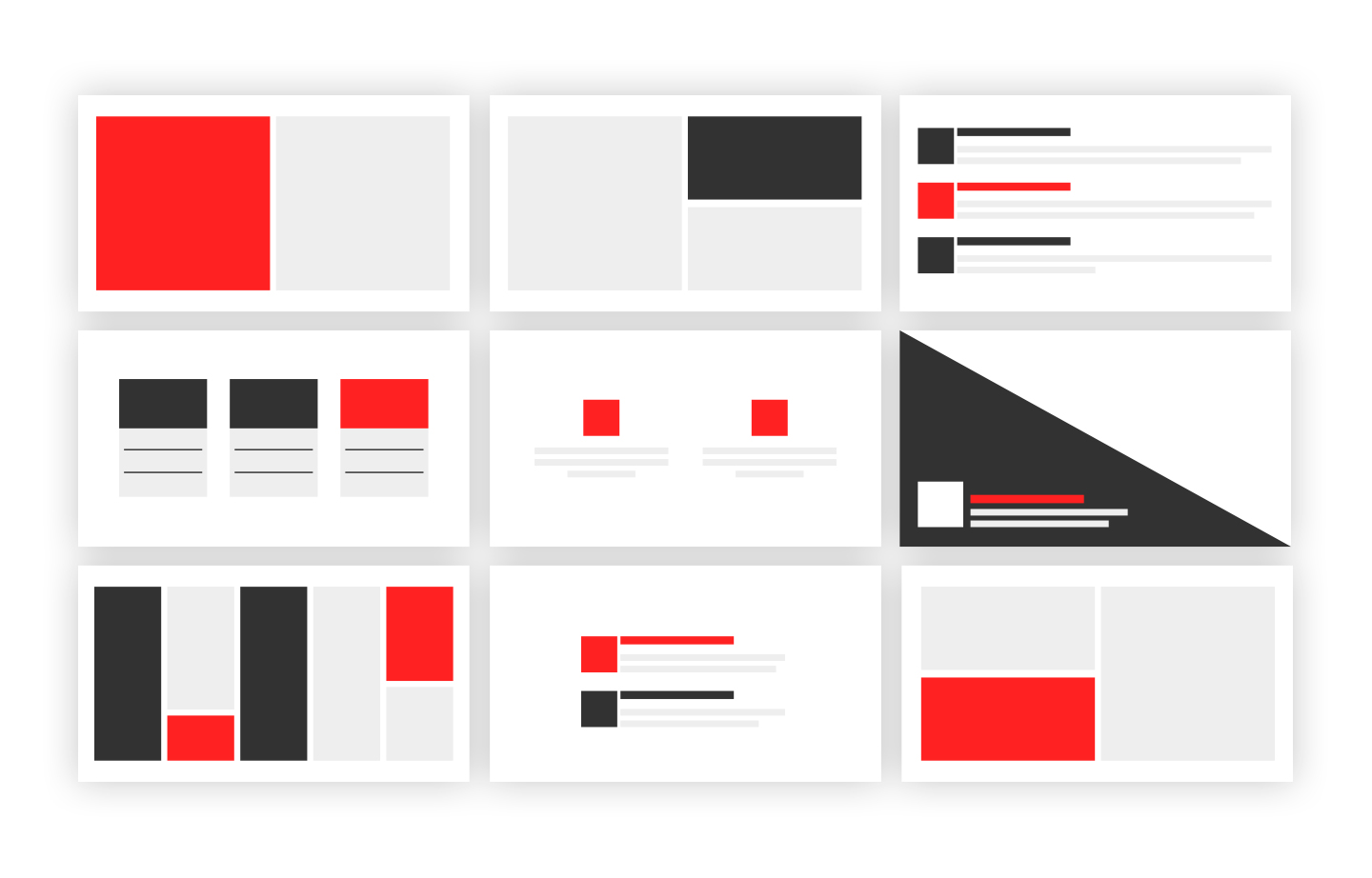
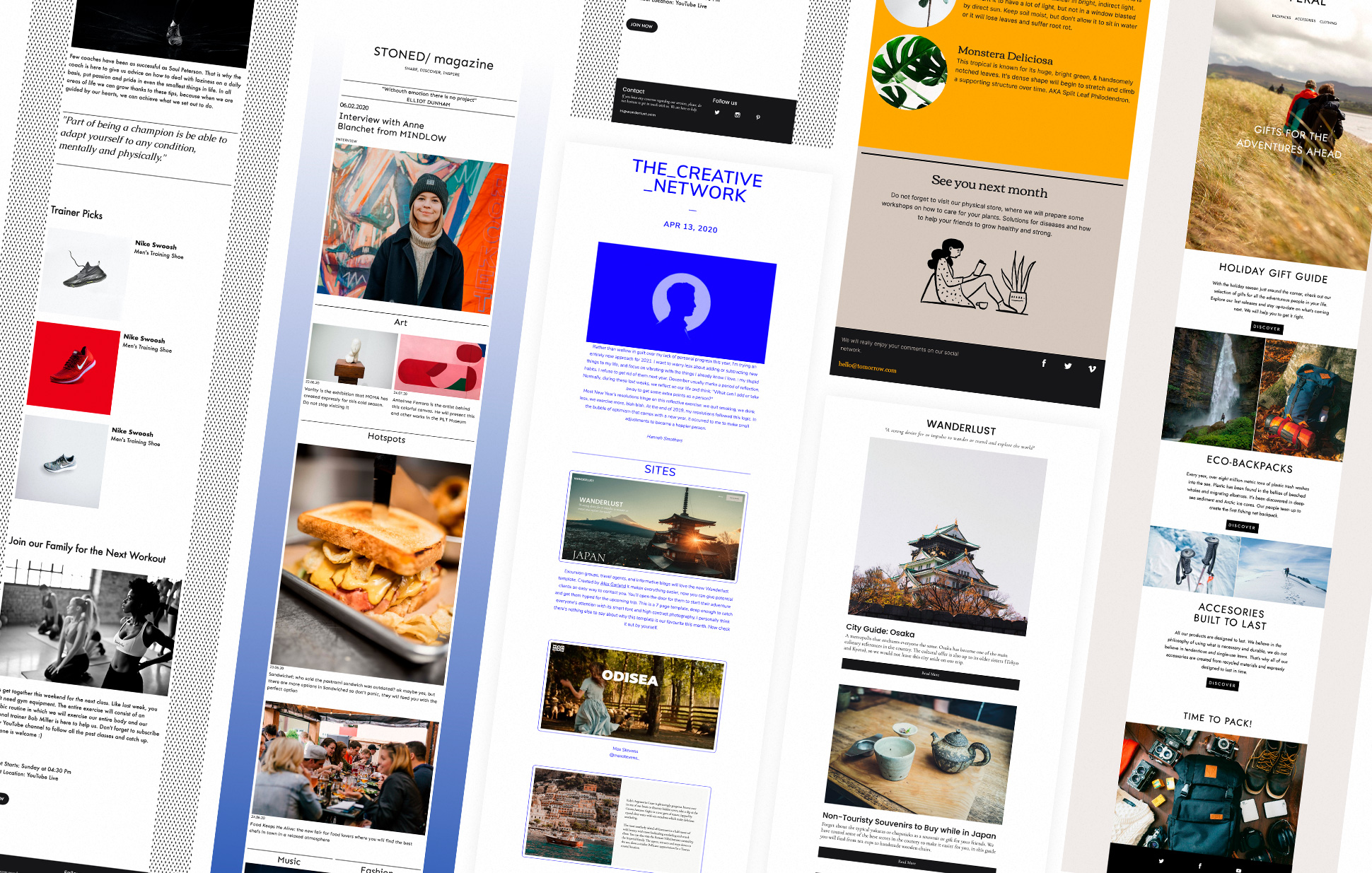
Start with a template
Creating responsive emails is not easy — but Email Designer makes it easier than ever. Start from scratch or from one of our professional templates. Modify everything to your needs.
When it comes to design and creativity, the sky is the limit.
- Professional email templates
- Newsletters, campaigns, invoices
- 100% customizable
- Start from scratch anytime
Google Fonts built in
Access the Internet's largest open-source font library — free for commercial and personal use. Give your emails the same typographic quality you'd expect from a premium web design.
Beautiful typography is one of the most powerful tools in email design. Email Designer puts 800+ fonts at your fingertips.
- 800+ Google Fonts
- No licensing fees
- Commercial & personal use
- Fallback font stacks auto-generated
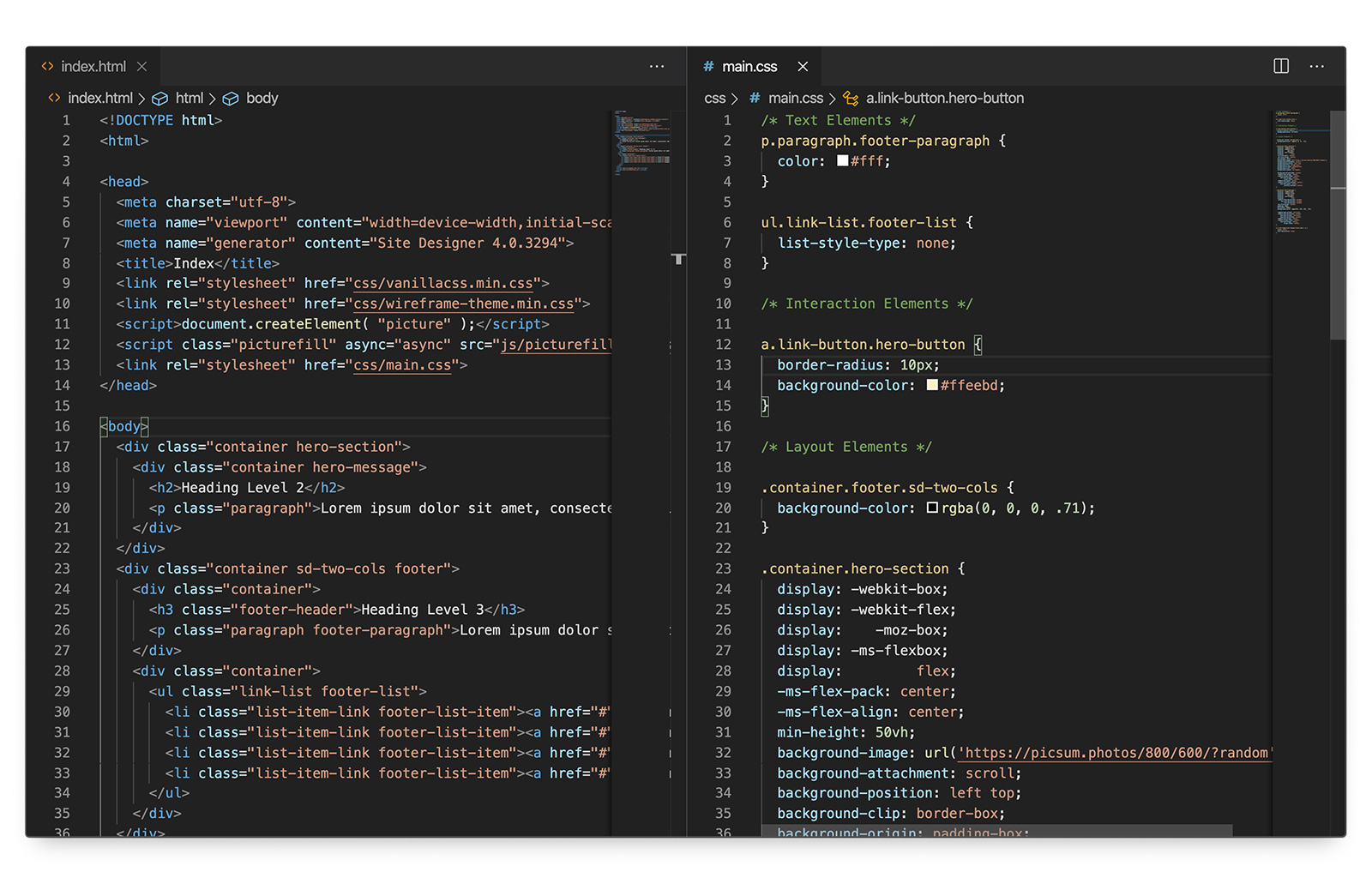
CSS classes & reusable components
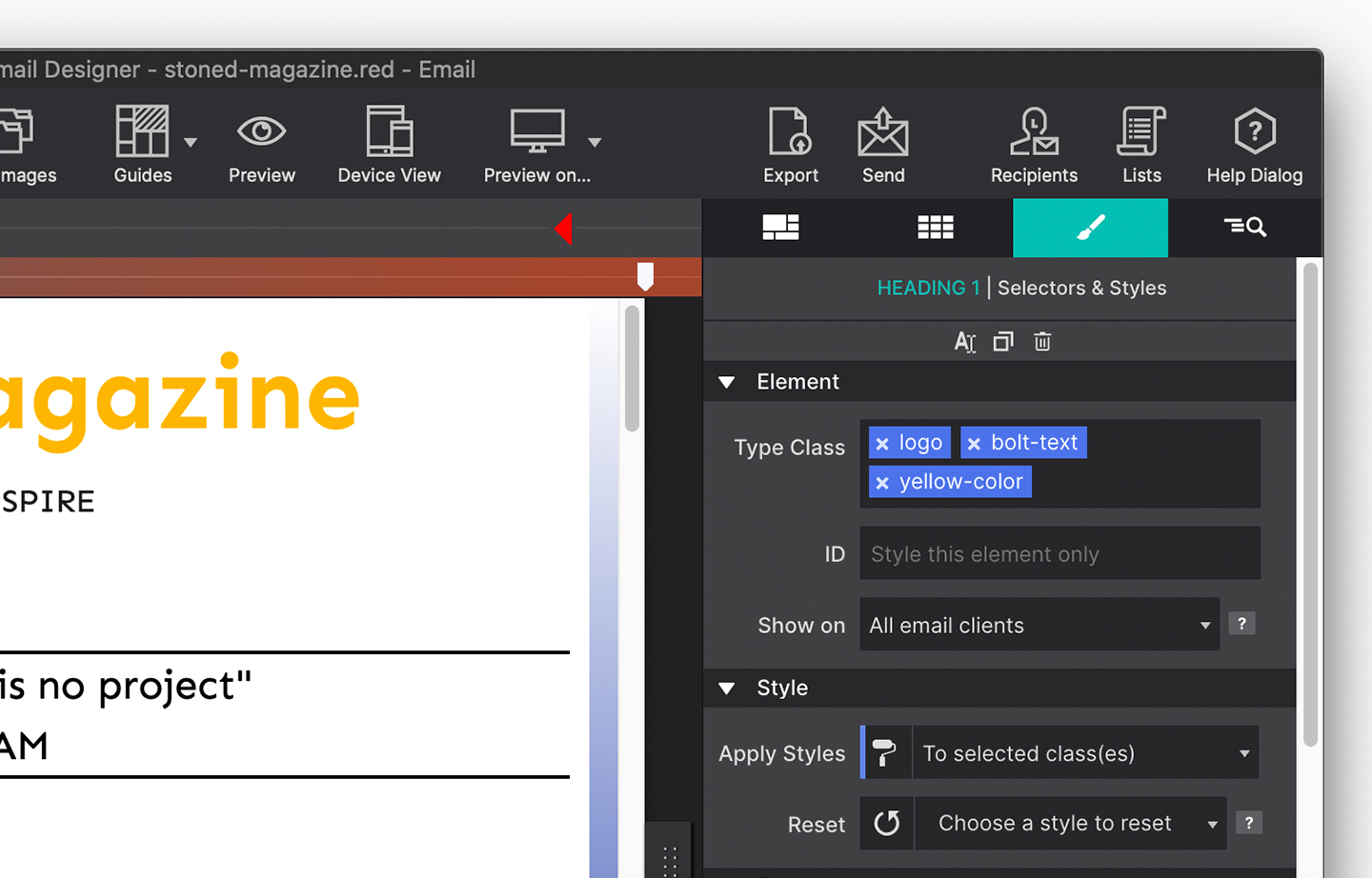
A workflow familiar to front-end designers. Apply styles to custom selectors and update common styles with a single click. Save headers, footers, and buttons to your personal Components Library.
Browse the CoffeeCup Components Library for pre-styled, highly tested email features — each 100% customizable.
- CSS classes & IDs
- Personal components library
- CoffeeCup shared library
- One-click style updates
Total compatibility with any ESP
Export the crispy clean code Email Designer produces and paste it into your Email Marketing provider of choice. Mailchimp, Klaviyo, Campaign Monitor, Constant Contact — it works everywhere.
Send test emails directly from the app. Use Gmail or your own SMTP server for content approval and link testing before you ship.
- Clean HTML export
- Works with any ESP
- Gmail & SMTP test sending
- Direct integrations in progress
Every tool a professional needs
Precision features that put you in full control of your design — from pixel-level inspection to device-agnostic responsive preview.
Email Inspector
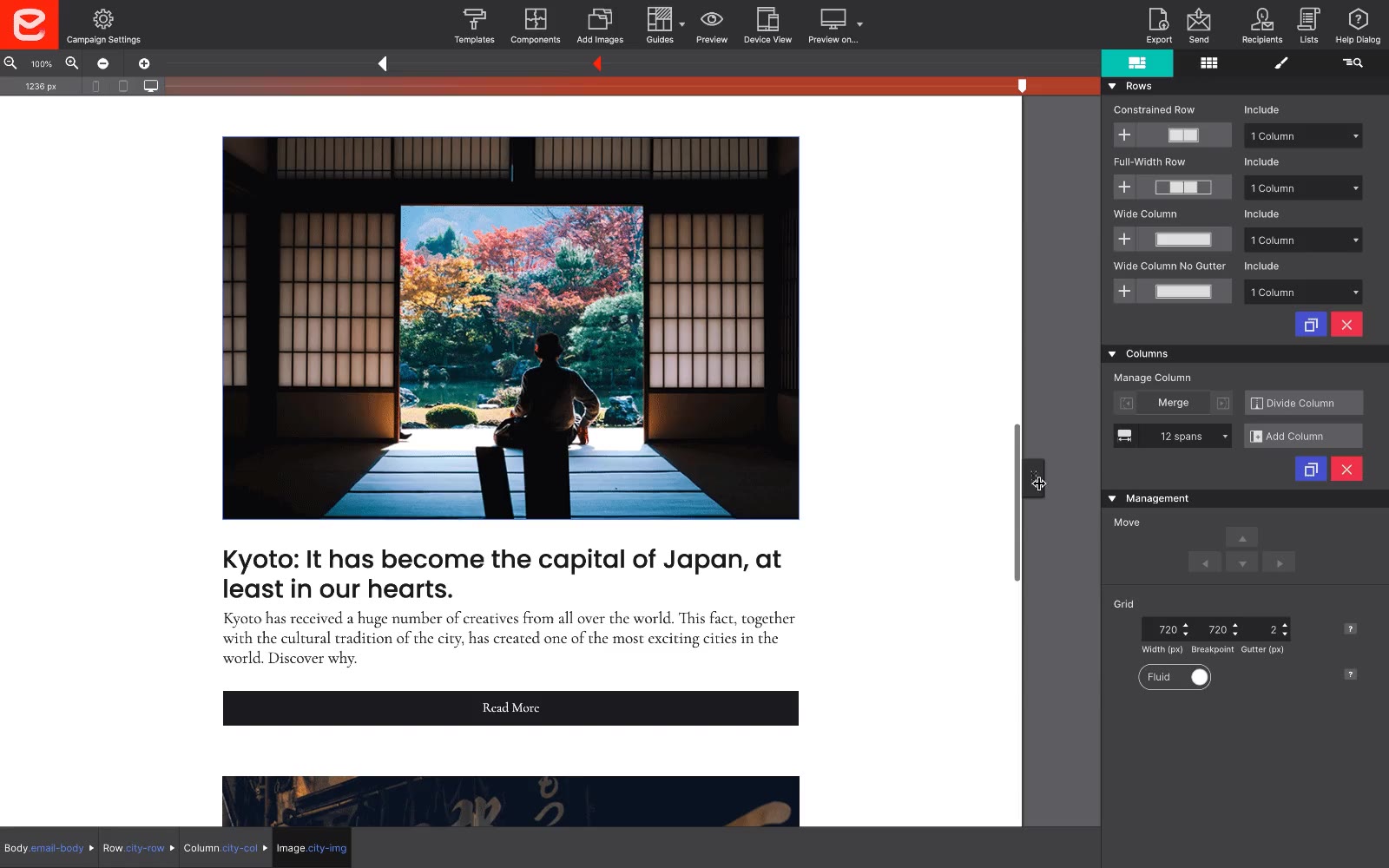
Drill down to any element. Search your entire email structure and catch every last detail before you hit send.
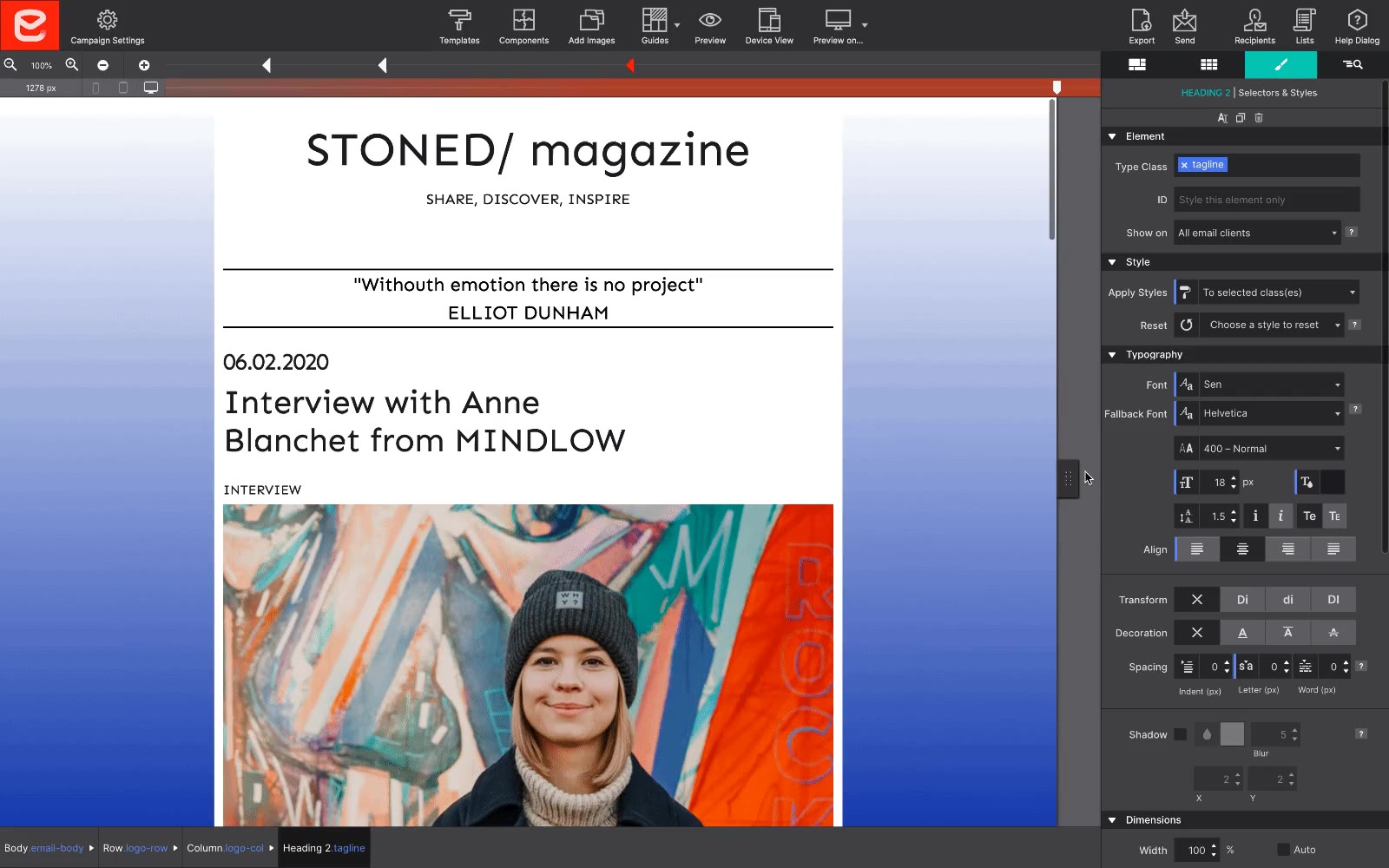
Custom Breakpoints
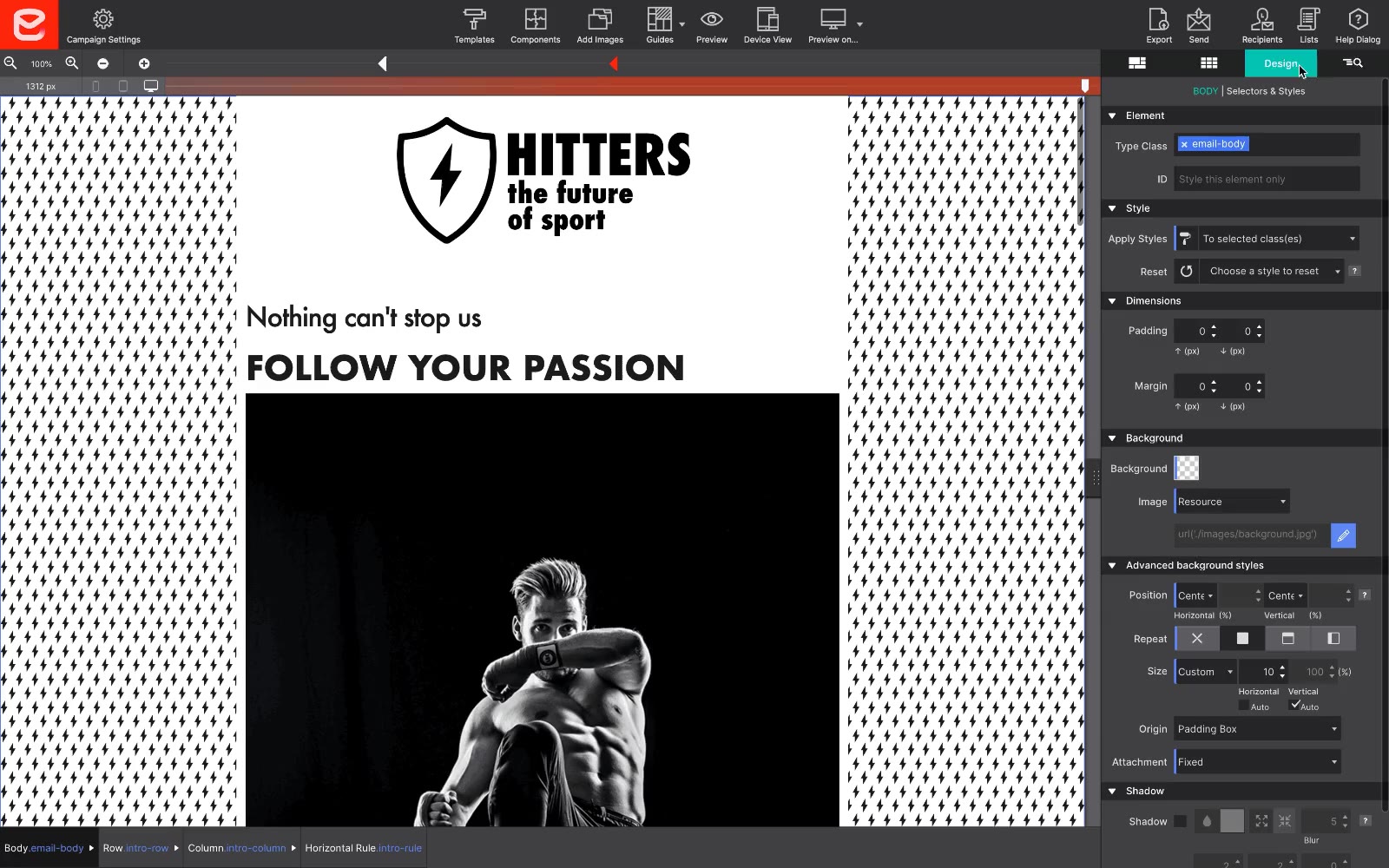
Add breakpoints exactly where your content needs them — not where a framework decides.
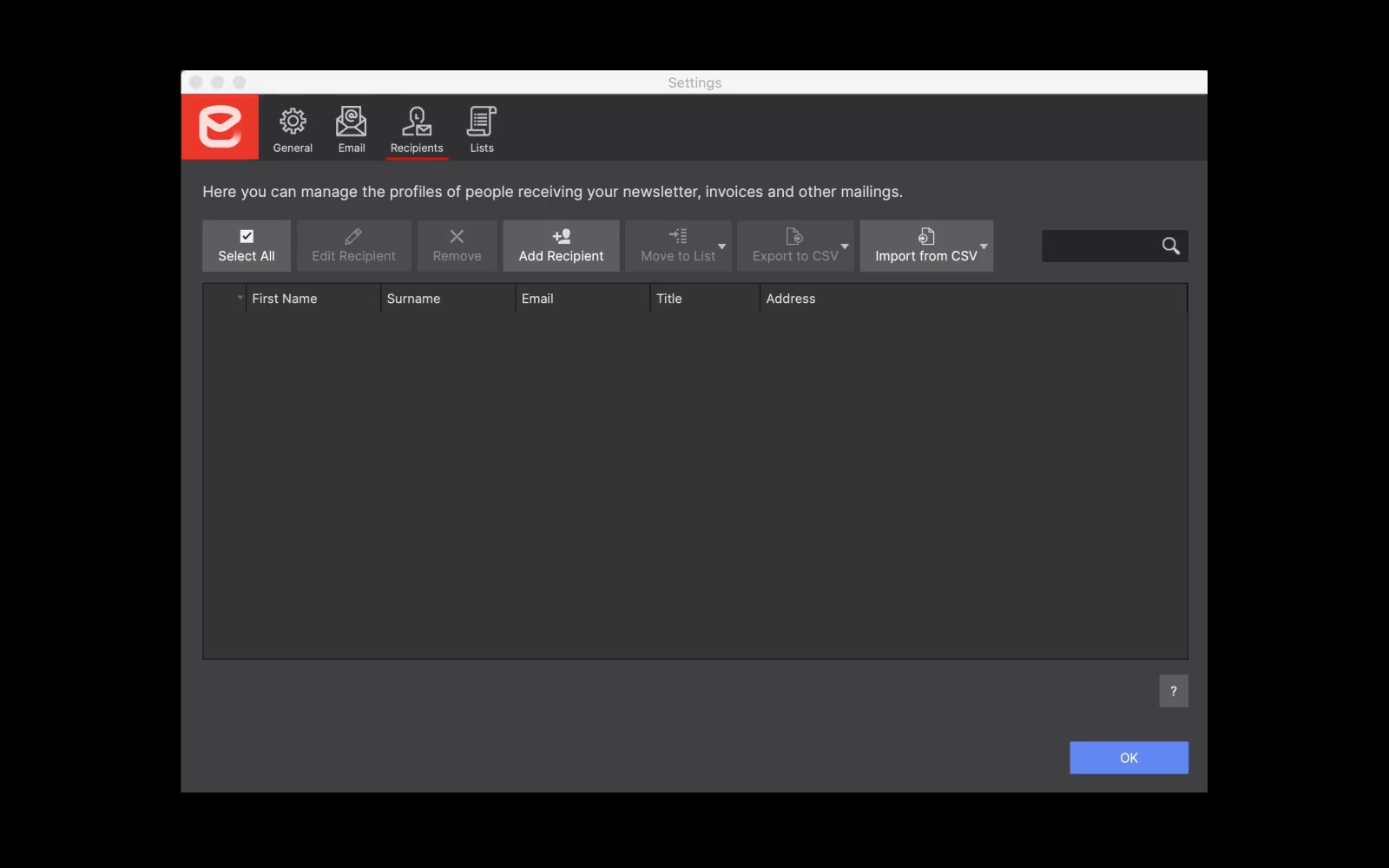
Import Contacts
Pull contact lists directly into the app via CSV — no copy-pasting, no third-party tools required.
Zoom
Zoom out to see the full email flow. Design large-screen layouts from a compact display without losing context.
Code Access
Drop into the underlying HTML and CSS at any moment. Full code control when you need it — visual designer when you don't. No lock-in.
Be Responsive.
Be everywhere.
Over 50% of emails are first opened on a mobile device. Technology and design that improves the mobile email experience offers incredible benefits.
The top email clients now support background images, border radius, shadows, and advanced typography. It's time to start designing with Progressive Enhancement and deliver a better experience to every recipient.
Pay once. Design forever.
No subscriptions. No monthly fees. You own Email Designer outright — use it for as long as you want.
The complete email design tool. Everything you need to craft, test, and export professional responsive emails.
- Grid-based visual email builder
- 800+ Google Fonts
- Custom breakpoints
- Clean code export to any ESP
- 1 year free updates
Windows 7+ & macOS 10.13+
Every CoffeeCup tool. One price. Everything included.
- Email Designer
- Site Designer (v5)
- HTML Editor (v18)
- Web Form Builder
- S-Drive hosting included
- 1 year free updates, all apps
Save $150+ vs. buying separately
vs $50–100/month for email marketing platforms with design tools — that's $600–1,200/year, every year.
Stop complicating your life.
Start creating.
A complete email design toolkit — from visual layout to code export — all in one perpetual license.
Visual Layout Editor
Rows and columns that stack. No table nesting. Design feels like the modern web — because it should.
- Grid-based design system
- Stackable columns for mobile
- Outlook-compatible output
- Multi-section layouts
Typography & Fonts
800+ Google Fonts available out of the box. Make your emails as typographically refined as your best web work.
- Google Fonts library
- Custom font stacks
- CSS Classes & IDs
- Bulk style updates
Responsive Design
Custom breakpoints, Magic Slider for live preview, and Progressive Enhancement for clients that support it.
- Custom breakpoints
- Magic Slider live preview
- Progressive enhancement
- Mobile-first stacking
Test & Send
Send drafts directly from the app. Use Gmail or SMTP for content approval and link testing before you push live.
- Test send from app
- Gmail integration
- SMTP server support
- Import contacts via CSV
Clean Code Export
Export crispy clean HTML and paste into any ESP. Mailchimp, Klaviyo, Campaign Monitor — it works everywhere without modification.
- Clean HTML export
- Works with any ESP
- Code access when needed
- Direct integrations in progress
Components Library
Save headers, footers, and buttons to reuse across campaigns. Browse the CoffeeCup library for pre-styled, tested email components.
- Personal components library
- CoffeeCup shared library
- 100% customizable
- Email Inspector tool
Frequently asked questions
Email Designer is a design tool — it creates the email, not the campaign infrastructure. For test sends and content approval you can use Gmail or an SMTP server directly from the app. For full campaign sending, delivery, and analytics, export the clean HTML and paste it into your Email Service Provider of choice (Mailchimp, Klaviyo, Campaign Monitor, etc.).
Yes. Email Designer includes selective display fields that allow you to gracefully handle the various peculiarities of Outlook. All emails produce table-based HTML under the hood — but Email Designer generates this for you, shielding you from nested table complexity while ensuring maximum email client compatibility.
Yes. Email Designer gives you access to 800+ Google Fonts for web-safe typography, plus full CSS class and ID control to apply your brand styles. Save your brand's headers, footers, color palettes, and button styles as reusable components to maintain consistency across every campaign.
Yes. Download and use Email Designer free — no credit card required. After the trial period, purchase a perpetual license for $129 to keep full access. We also offer a 30-day money-back guarantee after purchase.
Pay once, own it forever. No recurring charges, no subscriptions, no seat fees. Your license never expires. You get one full year of free updates — after that, continue using your current version as long as you want, or upgrade at a discounted rate.
Email Designer runs on Windows 7 or newer, and macOS High Sierra (10.13) or newer. It is a native desktop application available on both platforms — unlike HTML Editor, which is Windows-only.
Improve the impact of
your campaigns.
If the message is better, the effectiveness of the campaign will increase. Creating beautiful, responsive emails has never been easier.
$129 one-time · Windows & macOS · 30-day money-back guarantee