
Web Form Builder
The standalone form builder
$149 one-time
- 65 responsive themes
- Drag-and-drop form builder
- PayPal & payment integrations
- S-Drive one-click publish
- 1 year free updates
Responsive web forms that custom-fit any screen and boost submit rates. Drag, drop, design, publish — no coding required.
Free trial for Windows · On a Mac? Get the macOS version
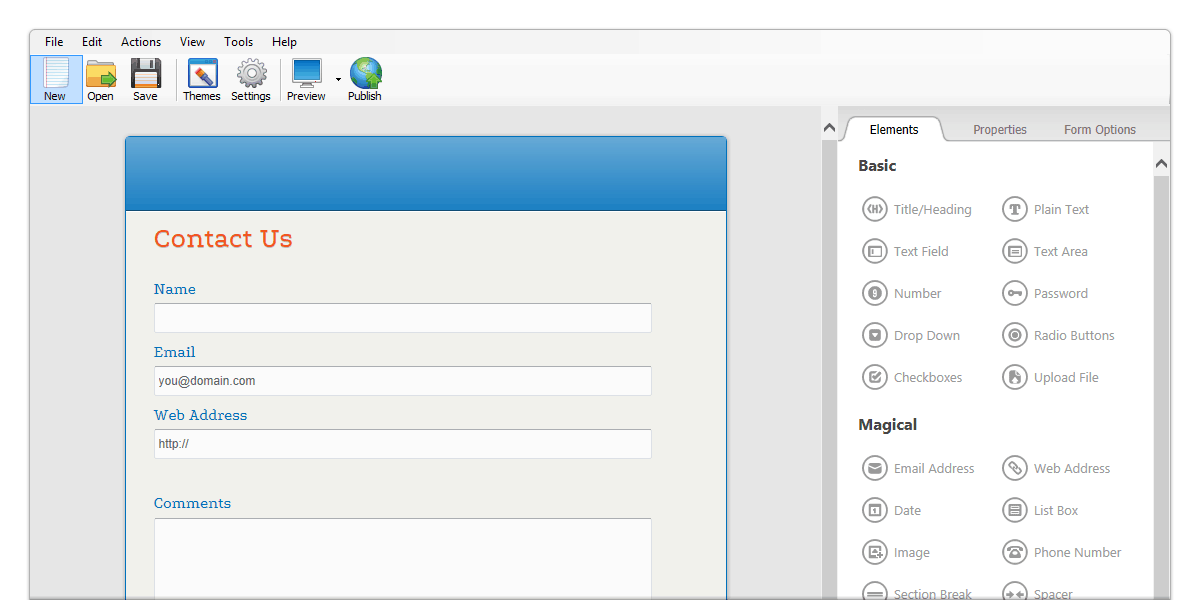
From a simple contact form to order forms with payments — all in a drag-and-drop interface. Every screenshot below is the real app.
Drag input fields and form elements into place in seconds. Text fields, dropdowns, file uploads, date pickers, payment buttons — every type you need is one click away.
Build registration forms, order forms, surveys, invitations, applications, contact requests, subscriptions — the possibilities are unlimited.
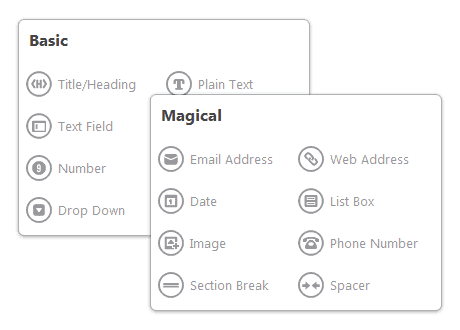
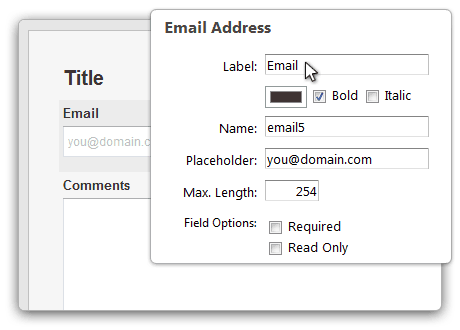
Adjust text, labels, colors, and dozens of options per element. Full control over design and function — from tweaking the basics to complex conditional logic.
Make fields appear or disappear based on the actions and choices of the person filling out the form. Powerful display rules with zero code required.
Form Builder is the first app in the world to create responsive forms. One click applies a smart responsive theme — your form detects the screen size and adapts perfectly to it.
Built on HTML5 and CSS3 standards. 65 pro-level responsive themes included. Boosting submit rates across every device.

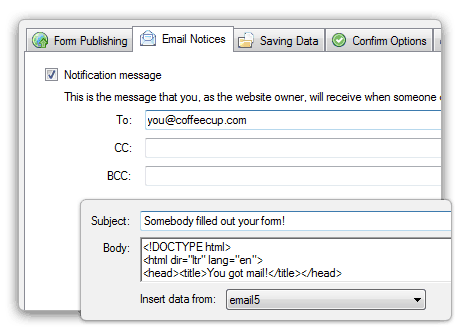
Get emailed every time a form is submitted. Save results to S-Drive, a MySQL database, a CSV file, or all three. You're always in control of your data.
Set up confirmation messages or redirect submitters to a thank-you page. Auto-send a confirmation email so they know you got their info.
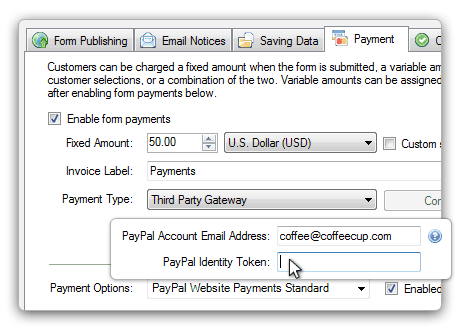
Set up a payment provider, add items to your form, and watch the money come in. Order forms, donation pages, event registrations — charge for anything your visitors choose.
Integrates with PayPal, Authorize.Net, and 2Checkout. Or email an invoice — simple as that.
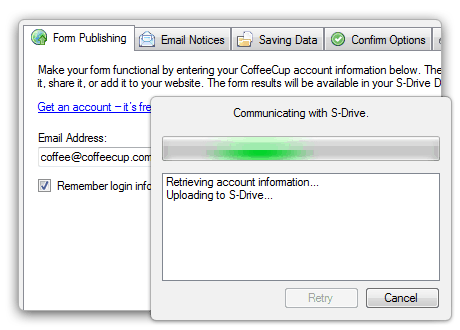
Publish to S-Drive with a single click — enter your CoffeeCup account, pick a destination, done. Or upload the files to your own server — the forms work on both, so you can switch at any time.
Embed your form anywhere: website, blog, shop, forum. Export the HTML, CSS, and PHP files for full custom control.
Works with
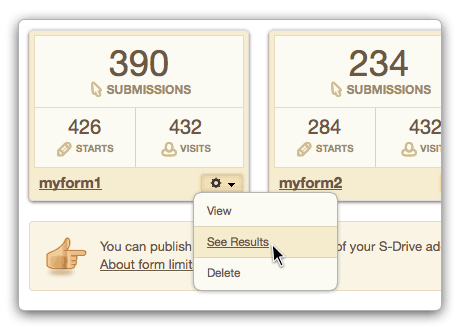
Use S-Drive's smooth dashboard to get a complete overview of all your forms — stats, submission counts, conversion rates, and individual results. All automatic, no database configuration required.
Real, unedited quotes from Web Form Builder users.
“Web Form Builder has made my life infinitely easier, I create 20-30 forms a week with it and now save myself over a hundred hours every month.”
Web Form Builder
“The deeper I get into Web Form Builder the more impressed I become at the depth and elegance of your software.”
Web Form Builder
“I must say, after using two of your products, Menu Builder & Form Builder in the last few weeks I have been extremely impressed not only with the software which is a knock-out, the customer care, which is both speedy friendly and super efficient but also the supporting documentation (which is of the up most importance to users) that you provide on your site. Someone goes to great pains to deliver that support in a wonderful friendly way. All in all I have never seen a business model like it that keeps both sides happy for a change.”
Web Form Builder
No subscriptions. No monthly fees. You own Web Form Builder outright — use it for as long as you want.
The standalone form builder
$149 one-time

Web Form Builder + every CoffeeCup app in one license
$219 Regular price $924 one-time
You save $705 — 76% off buying separately
Web Form Builder is a dedicated form creation tool with a full drag-and-drop interface, 65 responsive themes, advanced payment integrations, display rules that show or hide fields, and back-end processing features. Site Designer lets you embed forms into your pages, but Web Form Builder is the powerhouse for standalone, complex, or payment-driven forms with full server-side processing.
For basic functionality you can use S-Drive, which handles everything automatically with one click and no server configuration. If you host on your own server, you'll need PHP 7.4 or later (PHP 8.x is preferred). The software helps you configure everything — no hand-coding required.
Yes. Web Form Builder integrates with PayPal, Authorize.Net, and 2Checkout. You can create order forms where buyers choose options (size, color, quantity), donation pages with open amounts, or any form where you want to collect payment. You can also email an invoice and collect payment separately.
Yes. Download the free trial and try Web Form Builder before you buy — no credit card required (you’ll create a free CoffeeCup account to download). When you’re ready, a perpetual license is $149, one time. We also offer a 30-day money-back guarantee if you change your mind after purchasing.
Pay once, own it forever. No recurring charges, no subscriptions, no seat fees. Your license never expires. You get one full year of free updates — after that, continue using your version forever or purchase an upgrade at a discounted rate.
Absolutely. Web Form Builder generates an embed code you can paste into any website, blog, shop, or forum — including WordPress, Shopify, Squarespace, and any site that allows HTML embedding. The form adapts to any screen size through responsive design.
Download the free trial and build your first responsive form in minutes. No credit card, no commitment.
$149 one-time · Windows 7+ & macOS 13+ · 30-day money-back guarantee